A storm can leave your monitor glowing while the PC suddenly goes dark and reboots. That’s the gap. A surge protector can limit certain voltage spikes, but it cannot keep electricity flowing through a brief outage or voltage dip. So “protected” does not always mean “powered.”
The National Weather Service estimates that lightning strikes the United States about 25 million times each year. Those storms can affect power lines and building wiring, creating disturbances that a basic plug-in strip may not resolve. IEEE’s guidance on surge environments also distinguishes transient surges from other power-quality problems. A restart may point to a dip, loose connection, failing power supply, or another fault—not necessarily a damaged surge protector.
Electrical engineer Mike Sokol’s practical point, paraphrased, is that a surge protector is not a substitute for a UPS that can supply power during an interruption. That distinction matters when asking, “why does my computer restart during lightning storms despite having a surge protector”? A UPS with suitable voltage regulation may help with brief dips, but it cannot guarantee protection from every storm-related event. Check the strip’s indicator, inspect cables and outlets, and note whether other devices also flicker. Don’t assume the green light tells the whole story. I’d be cautious, too: one storm-related reboot is a clue, not a diagnosis. The pages ahead compare 2026 surge protectors by their ratings and practical features, while explaining when a UPS—or an electrician’s inspection—may be the more relevant next step.
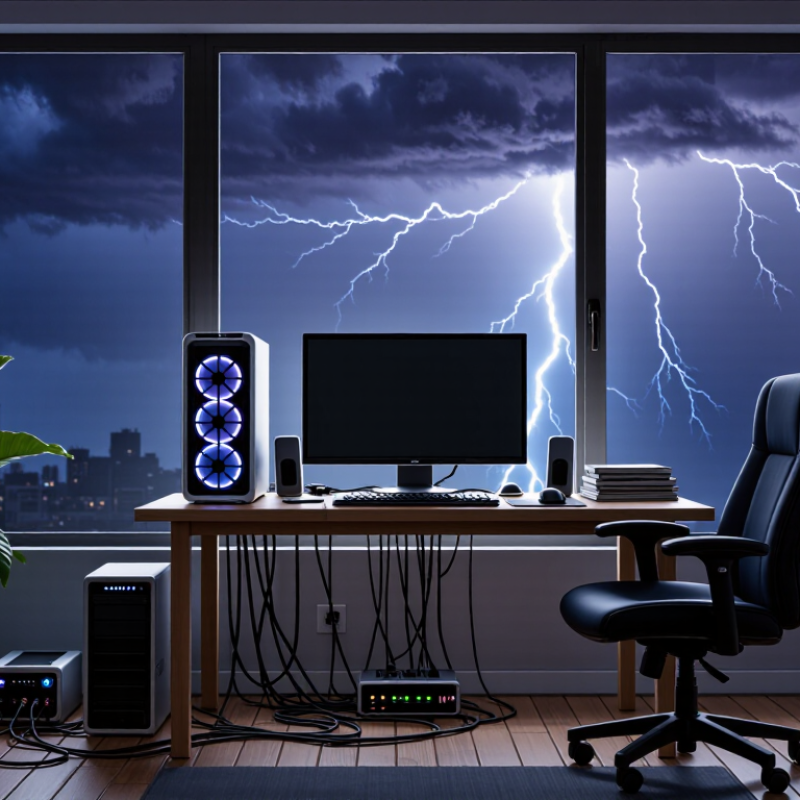
A PC that restarts during a storm may be reacting to a brief change in its power supply, not to rain itself. Lightning nearby, utility switching, or a momentary voltage dip can interrupt the electricity reaching your home. The computer’s power supply can smooth out small fluctuations, but it has limits. If power drops long enough, the PC may shut off and start again when power returns. It can happen in seconds.
Check whether lights flicker or other devices reset at the same time. Those clues help, though they do not prove the cause. A restart alone is not a diagnosis.
A surge protector can reduce damage from some short voltage spikes. It does not keep a computer running through an outage or a deep voltage sag. That distinction matters. For repeated storm-related restarts, a properly rated uninterruptible power supply can provide battery backup and give the PC time to shut down safely.
Keep equipment connected as its instructions specify, and avoid linking multiple power strips together. If outlets feel warm, spark, or behave unpredictably, stop using them and ask a qualified electrician to inspect the setup. Honestly, protection can lower risk, but no plug-in device guarantees safety from every storm.
A PC that restarts during a storm may be reacting to a brief voltage sag, not a direct lightning strike. IEEE 1159 classifies a voltage sag as a drop to 10–90% of nominal voltage, lasting from half a cycle to one minute. That interruption can be too brief to notice in a lamp, yet enough to upset a computer’s power supply. The standard gives useful context, not a diagnosis.
Look for patterns. Does the monitor go dark, too? Do lights flicker, or does the router reboot at the same moment? Several devices failing together points toward a household supply interruption. If only the PC restarts, check its power cable, outlet, and power supply; a loose connection or failing component can mimic storm trouble. Review Windows reliability history for the restart time, and note whether it happened during thunder, heavy rain, or ordinary wind. Small details matter.
A basic surge protector limits some voltage spikes, but it cannot keep power flowing through an outage or sag. The U.S. Energy Information Administration’s Electric Power Annual tracks customer interruption frequency and duration, underscoring that utility interruptions are measurable events—not just computer faults. A UPS with battery backup can help distinguish a short supply dip from an internal PC problem. Don’t open the power supply; it can retain dangerous charge. My diagnosis would still be tentative without a log or electrician’s measurements.
A storm can restart a PC even when lightning does not hit the house. NOAA’s National Severe Storms Laboratory estimates about 25 million lightning flashes strike the ground in the United States each year. Nearby strikes and utility switching can create brief voltage spikes on power lines. A surge protector limits excess voltage and directs surge current toward the grounding path, reducing the risk of damage to connected equipment. Its protection is not unlimited. Grounding matters.
UL 1449, the safety standard for surge-protective devices, sets testing and safety requirements; check that a protector is certified to this standard. Its rating does not promise protection from every surge, and a basic protector cannot keep a PC running during an outage or correct every voltage dip. If your lights flicker before the restart, the issue may be a brief power interruption rather than a surge. A properly selected uninterruptible power supply can provide battery time for shutdown, but it also needs suitable surge protection and sound wiring. I would not assume a new outlet strip solves repeated restarts. If the problem continues, have a qualified electrician check the outlet, grounding, and circuit.
A PC that restarts during a storm may be reacting to a brief voltage dip or interruption, not just a damaging surge. A plug-in surge protector can limit some voltage spikes, but it cannot keep power flowing when the supply drops. The U.S. Energy Information Administration’s 2022 reliability data reported about 5.5 hours of average interruptions per customer when major events were included. That figure covers outages generally, not storm-only events, but it shows why surge protection and backup power are different needs. The distinction is easy to miss.
For a desktop PC, choose a protector certified to UL 1449 and check its published voltage protection rating (VPR); a lower VPR indicates a lower let-through voltage under the standard test. Compare joule ratings as one factor, not a guarantee of protection against every surge. Look for a grounded plug, a clear protection-status indicator, and enough outlets for the PC and monitor. If restarts continue during brief dips, consider a UPS with battery backup and automatic voltage regulation. Check its capacity against your equipment’s load. Replace a protector if its status light shows protection has failed, and don’t assume an old unit still works just because it looks fine.
Before installing a surge protector, shut down your computer and monitor. Check the protector’s casing and cord for cracks, heat marks, or loose parts. Don’t use damaged equipment. Plug it directly into a grounded wall outlet, not another power strip. Keep vents clear, and leave the unit uncovered. Keep it dry.
Connect your computer and essential peripherals, but stay within the protector’s rated capacity. Check its indicator light and follow the manufacturer’s instructions; the light may show whether protection remains active, not whether every outlet is properly grounded. Never test it by creating a surge. If the model has a test button, use it only as directed. No button? Check the manual. Replace the protector if its status indicator shows protection has ended, or if it has suffered damage. I used to assume a lit indicator meant everything was safe; that was too confident. A protector can reduce some surge risks, but it cannot guarantee uninterrupted power. If your PC still restarts during storms, voltage dips or a wiring problem may be involved. Back up important files, and ask a qualified electrician to inspect recurring issues.
| Use case or issue | What to look for | Safe installation guidance | How to check it |
|---|---|---|---|
| PC restarts during storms | Storm-related restarts can follow a brief outage, voltage dip, or electrical transient. A surge protector may reduce transient surge damage, but it cannot keep a PC running through a power interruption. | For uninterrupted operation during brief outages, consider a properly sized UPS with surge protection. Follow its instructions and connect only loads within its stated capacity. | Check whether the PC also restarts during non-storm outages or heavy loads. Persistent problems may need diagnosis of the power supply, outlet, or circuit by a qualified professional. |
| Everyday PC and desk equipment | Choose a point-of-use surge protective device with a recognized safety certification for your region, a voltage rating matching the local supply, and a clearly stated protection status indicator. | Plug it directly into a suitable, grounded wall outlet unless the instructions specifically allow another arrangement. Do not connect surge strips in series or exceed the device or circuit ratings. | Use the manufacturer’s indicator or test procedure. An illuminated protection light is meaningful only as described in that device’s instructions. |
| Comparing surge ratings | Compare the published surge-current and energy ratings, clamping or voltage-protection information, and certification. A higher joule figure alone does not establish overall safety or guarantee protection from every surge. | Match the device to the intended location and electrical system. Follow the product instructions rather than relying on a rating as permission to use it in any outlet or environment. | Check the rating label and certification details before use. Replace the unit if its instructions say protection has ended or if it is damaged. |
| Whole-home surge protection | A service-panel surge protective device can provide protection at the electrical system entry point. It is different from a plug-in point-of-use device; neither should be assumed to stop all lightning-related damage. | Have panel-mounted equipment selected and installed by a qualified electrician in accordance with local electrical codes and the device instructions. Do not open or work inside an electrical panel yourself. | Ask the installer how to read the status indicator and when the device should be inspected or replaced. |
| Safe plug-in installation | Use a device intended for the outlet type, voltage, and environment. Avoid products with cracked cases, damaged cords, loose plugs, or signs of overheating. | Keep the device dry and uncovered, maintain ventilation, and keep cords away from walkways and heat sources. Do not use it where the manufacturer prohibits use, such as damp locations. | With the device unplugged from equipment if required by its instructions, visually inspect the case and cord. Do not dismantle it or probe an outlet to test protection. |
| After a severe storm or power event | Surge-protection components can wear or reach end of life without obvious external damage. Status indicators and replacement guidance vary by model. | If the unit is hot, smells burnt, sparks, or has a damaged cord, stop using it and disconnect it only if safe to do so. Do not handle wet electrical equipment. | Follow the manual’s status-check and replacement instructions. If an outlet is damaged, loose, or shows signs of heat, stop using it and contact a qualified electrician. |
Note: A plug-in surge protector is not a substitute for correct grounding, a properly rated electrical circuit, or professional electrical work. During lightning activity, avoid handling cords or electrical equipment.
A brief voltage dip can disrupt the power supply, even without a direct lightning strike. The dip may be too short to notice in a lamp.
Check whether the monitor goes dark, lights flicker, or the router restarts at the same time. Several devices failing together may point to a household power interruption.
Inspect the power cable and outlet for a loose connection. A failing power supply can also mimic storm-related trouble. Don’t open it.
Review Windows reliability history and note the recorded time. Compare it with thunder, heavy rain, or ordinary wind. The timing may still be inconclusive.
It can limit some voltage spikes, but it cannot provide power during an outage or voltage dip. Not the same job.
Check for recognized safety certification, a published voltage protection rating, a grounded plug, and a protection-status indicator. Compare joule ratings, but don’t treat them as a guarantee.
A UPS with battery backup can help during short power interruptions. Automatic voltage regulation may also help with dips. Check its capacity against your PC and monitor.
Replace the protector if its status indicator shows protection has failed. Note restart times and affected devices; an electrician’s measurements may clarify the cause. My diagnosis remains tentative without them.
Storm-related power disturbances can restart a PC when lightning, utility switching, or unstable voltage briefly interrupts or alters the electricity reaching the computer. A restart may also point to a loose connection, an overloaded circuit, or a failing power supply, so note whether other devices are affected and check the PC’s power and system logs. If you wonder, “why does my computer restart during lightning storms despite having a surge protector,” remember that a surge protector can limit certain voltage spikes but may not prevent outages, voltage drops, or every severe surge.
When choosing a protector, compare its joule rating, response time, safety certification, and whether it has enough outlets for your setup. Replace it if its protection indicator shows it is no longer effective, and avoid overloading it or connecting protectors in a chain. For added protection during storms, save work regularly and shut down and unplug equipment when conditions are severe. Install the protector according to its instructions and test it using its built-in indicator, not by exposing it to a surge.

Phlox Energy